Payment Collection Explained for Small Businesses
A customer says they will pay "by Friday." Friday passes, and you are still sending reminders. For a small business, chasing invoices eats hours you could spend on orders, and every late payment puts pressure on cash flow. A fuller comparison of Whatsapp business api provider is worth reading alongside this.
This article explains what payment collection actually involves, from invoicing and payment links to settlement, then compares bank transfers, cards, UPI, digital wallets, and chat-based payments on WhatsApp. You will also learn how to choose a processor, spot the fees and payout timelines that matter, cut failed payments with automated reminders, and keep your setup secure and compliant.
What Payment Collection Means for a Small Business
Payment collection is the process of converting outstanding invoices into cash, directly impacting your cash flow and accounts receivable. For a small business, this cycle determines whether there is enough money on hand to cover payroll, rent, supplies, and taxes on time.
Every sale that is not paid immediately creates an accounts receivable entry, which is money owed to you but not yet in the bank. Managing that balance well means the difference between steady operations and scrambling to cover bills while waiting on customers.
Cash flow is the lifeblood of a small operation. When payments arrive late, even a profitable business can struggle to meet short-term obligations, which is why collection deserves as much attention as sales itself.
Key Terms: Invoicing, Payment Links, and Settlement
Invoicing creates a record of sale, while payment links and settlement speed up the actual transfer of funds. Understanding how these three pieces fit together helps you build a collection process that is fast, traceable, and easy for customers to complete.
- Invoicing: A document that lists what was sold, the amount due, the due date, and accepted payment methods. For example, an invoice for $500 sent by email gives the customer a clear, written obligation and a paper trail for both sides.
- Payment links: A clickable link that opens a secure online payment page, letting a customer pay by credit card, debit card, bank transfer, or digital wallet without a phone call. A link shared in a chat message can turn a conversation into a completed payment in seconds.
- Settlement: The stage where authorized funds actually reach your bank account. A settlement timeline of two business days is common for many card transactions, though the exact timing depends on your payment processor and merchant account.
Invoicing documents the amount due, payment links remove friction from paying it, and settlement closes the loop by moving money into your account. Together they form the backbone of online payment collection.
These terms also connect to the wider payment chain, including the payment gateway that transmits card data, the acquirer and issuer that approve transactions, and the card network that routes them. Knowing this flow helps you anticipate delays and choose the right tools for your business.
Faster settlement improves cash flow, but it also affects how you plan for fees such as interchange fees and how you handle chargebacks or refunds. A clear grasp of each term makes it easier to compare providers and set realistic expectations for when money will be available.
Popular Payment Collection Methods Compared
From traditional bank transfers to modern digital wallets, each payment method offers distinct advantages for small businesses. The right mix depends on what you sell, who buys from you, and how quickly you need funds to support cash flow.
Three factors usually determine the best fit: cost per transaction, settlement speed, and customer preference. A method that is cheap but slow may strain cash flow, while a fast option with higher fees can erode margins on small sales.
Most small businesses end up combining several methods rather than relying on one. Accepting cards and digital wallets covers everyday purchases, while bank transfers handle larger invoices and recurring billing arrangements.
The sections below break down how the most common options compare on fees, processing times, and typical use cases. Use them to match each method to the payments your business actually collects.
Bank Transfers, Cards, UPI, and Digital Wallets
Bank transfers like ACH and wire transfers are often used for large payments, while cards and UPI dominate everyday transactions. Each option carries different costs and timelines that affect your accounts receivable.
ACH transfers move money directly between bank accounts and typically cost around 0.5 to 1 percent, with settlement in one to three days. Wire transfers cost more but often settle the same day, which suits urgent or high-value payments. For example, a $1,000 invoice paid via ACH keeps fees low, though the funds may take a few days to arrive.
Credit and debit cards remain the most familiar option for customers. Processing fees generally run 2 to 3 percent, but approval is instant, which helps conversion at the point of sale and online. A $50 sale via credit card costs more in fees than an ACH payment, yet the speed and convenience often justify it.
UPI is a mobile payment system widely used in India, where it is often free or very low cost and settles instantly. It works well for small purchases, such as a customer scanning a QR code payment for a modest order.
Digital wallets follow a similar pattern, offering fast contactless payment through a phone or device. They are convenient for in-person sales but usually carry card-like processing fees.
Chat-Based Payments via WhatsApp and Social Messaging
Chat-based payments allow customers to pay directly within messaging apps like WhatsApp, Facebook Messenger, and Instagram DM. Instead of leaving the conversation to visit a checkout page, the buyer completes the transaction where the discussion is already happening.
Businesses typically use one of two approaches. They send a payment link that opens a secure checkout, or they use native payment features built into the app. WhatsApp Business API enables native payments in some regions, letting customers pay without switching apps.
The main benefits are convenience and higher conversion. A payment link sent via WhatsApp for a $200 order removes friction, since the customer does not need to hunt for an invoice or re-enter details. Real-time communication also lets you answer questions and confirm payment on the spot.
Social messaging works beyond WhatsApp. A freelancer might use Instagram DM to collect payment for a service, sending a link after agreeing on scope. This keeps the whole exchange, from quote to payment, in one thread.
This method is growing in popularity, especially for small businesses with international customers. It pairs well with payment collection workflows where speed and personal contact matter more than formal invoicing. As with any channel, confirm fees and settlement times with your payment service provider before relying on it.
Setting Up Payment Collection: Step-by-Step Basics
Setting up payment collection involves selecting the right tools and understanding the associated costs and timelines. For a small business, this means deciding how customers can pay, how funds move from the customer's bank to yours, and how quickly that money becomes available for cash flow.
The process breaks down into a few connected decisions. You will choose a payment processor and gateway, review the fees attached to each transaction, and configure when and how payouts land in your account.
These choices affect everything from your accounts receivable cycle to how smoothly you can send an invoice or billing request. A retail shop with a POS system has different needs than a service business relying on net terms and online payment.
Below, the two core areas of setup are covered in detail: picking your processing partners and understanding the costs that follow.
Choosing a Payment Processor and Gateway
A payment processor handles the transaction, while a gateway securely transmits payment data from the customer to the processor. The two often work together behind the scenes, but they are separate roles in the payment chain.
When a customer pays by credit card or debit card, several parties are involved. The acquirer is the bank that holds your merchant account and receives funds on your behalf. The issuer is the customer's bank, and the card network connects the two.
Well-known providers such as Stripe, PayPal, and Square bundle processing and gateway functions into one service, which simplifies setup for small businesses. Others separate the roles, letting you mix and match tools.
Pricing models vary. Some processors use flat-rate pricing, such as 2.9% + $0.30 per transaction, while others use interchange-plus pricing that separates the card network's base cost from the processor's markup.
Compare providers on these factors:
- Transaction fees and any monthly or statement charges
- Supported payment methods, including ACH transfer, digital wallet, and contactless payment
- Integration options with your POS system, virtual terminal, or invoicing software
- Customer support availability when disputes or outages occur
The right fit depends on your sales volume and average transaction size. A business with many small sales may prefer flat-rate pricing, while higher-volume operations often benefit from interchange-plus.
Costs to Watch: Fees, Chargebacks, and Payout Timelines
Transaction fees, chargebacks, and payout delays can significantly impact your bottom line if not managed carefully. Each one deserves attention before you commit to a provider.
Interchange fees typically run 1% to 3% for cards and go to the issuer. On top of that, you may pay monthly gateway fees, statement fees, and refund costs when a customer returns a purchase.
Chargebacks are a separate concern. When a customer disputes a charge, you may face a chargeback fee of $15 to $25 per dispute, plus the lost sale if the dispute is upheld. Clear billing descriptors and prompt dispute resolution help reduce these events.
Payout timelines also matter for cash flow. Some providers offer a 2-day rolling deposit, while others pay weekly or on a custom schedule. Faster payouts can ease tight cash flow, though some providers charge extra for the speed.
Here is a simple cost example. On a $100 transaction with a 2.9% + $0.30 fee, you net $96.80 before any other charges.
To keep costs down, consider these strategies:
- Negotiate rates once your volume grows
- Prevent chargebacks with recognizable billing descriptors
- Choose faster payout options when cash flow is tight
- Review statements monthly for unexpected fees
Understanding these numbers upfront makes it easier to price your products and protect your margins.
Reducing Failed and Late Payments
Failed and late payments disrupt cash flow, but automation and clear communication can mitigate the risk. When an invoice goes unpaid, a small business may still owe suppliers, rent, and payroll on time. That gap puts pressure on working capital and forces owners to chase money instead of serving customers.
Most missed payments trace back to simple causes: an expired credit card, insufficient funds on the due date, or a customer who simply forgot. None of these are signs of a bad client. They are friction points in the payment collection process.
A declined card or a missed due date also costs time. Staff must check the accounts receivable ledger, contact the customer, and reissue the request. Multiply that by several clients each month and the admin burden adds up.
The fix is not more phone calls. It is automated reminders paired with payment links that let a customer pay in one click. The next section covers how to build that schedule and what tools support it.
Automated Reminders and Payment Links
Automated reminders sent via email or SMS before and after due dates can help reduce late payments. The key is timing. A single reminder on the due date is easy to ignore. A short sequence keeps the invoice visible without feeling aggressive.
A practical schedule for most small businesses looks like this:
- 3 days before due: a friendly heads-up with the amount and due date
- On the due date: a short nudge with a one-click payment link
- 3 days after due: a polite follow-up noting the invoice is now overdue
- 7 days after due: a firmer message that may include a late fee per your net terms
Each message should include a payment link so the customer can pay by credit card, debit card, ACH transfer, or digital wallet without logging into a portal. Fewer steps mean fewer abandoned payments. A QR code payment option can help for in-person or mobile customers.
For repeat customers, recurring billing and subscription billing remove the reminder problem entirely. The payment processor charges the saved card or bank account on a set date each cycle. Consider a customer on a $50 monthly subscription. With automatic reminders and a payment link, they renew on time instead of lapsing after a forgotten invoice. That reduces churn and keeps revenue predictable.
Installment payment options work the same way for larger invoices. Splitting a balance into scheduled charges helps customers who cannot pay in full while keeping cash flow steady for the business. Just confirm the schedule in writing before the first charge.
Security and Compliance Essentials
Protecting customer payment data is not just good practice-it's a legal requirement under standards like PCI DSS. When a small business accepts a credit card, debit card, or ACH transfer, it takes on responsibility for safeguarding sensitive financial information.
A single breach can expose customers to fraud, damage trust, and trigger fines or lost processing privileges. That makes security a core part of payment collection, not an afterthought.
Compliance also affects your merchant account standing. Banks and payment processors can freeze or terminate relationships when a business fails to meet card network rules. For a small business, that disruption can stall cash flow and interrupt recurring billing.
Two areas matter most: how data is encrypted, and how records are stored and retained. The subsections below cover encryption standards, PCI DSS basics, and practical record-keeping habits.
Encryption, PCI Basics, and Record-Keeping
End-to-end encryption and PCI DSS compliance are non-negotiable for any business handling card payments. Encryption protects data in two states: in transit and at rest.
For data moving across networks, TLS encryption shields card details during checkout and transmission to a payment gateway. For stored data, AES-256 encryption is a widely used standard that renders information unreadable without the proper key.
The Payment Card Industry Data Security Standard sets rules for any organization that stores, processes, or transmits card data. Key requirements include:
- Never store the CVV or full magnetic stripe data after authorization
- Use tokenization so real card numbers are replaced with unique tokens
- Restrict access to cardholder data on a need-to-know basis
- Maintain a firewall and regularly update security systems
- Assign a unique ID to each person with computer access
Record-keeping complements these controls. Many businesses retain transaction records, invoices, and receipts for around seven years to satisfy tax and audit needs. Those records must be stored securely, with access limited and backups encrypted.
Practical steps make compliance manageable for a small business:
- Choose a PCI-compliant payment processor so much of the burden shifts to them
- Schedule regular security audits and vulnerability scans
- Train staff on data protection and phishing awareness
- Review who can view or export payment records
Pairing strong encryption with disciplined record-keeping reduces chargeback risk and keeps your accounts receivable processes defensible. It also reassures customers that their card and bank details are handled responsibly.
How Com.bot Supports Payment Collection
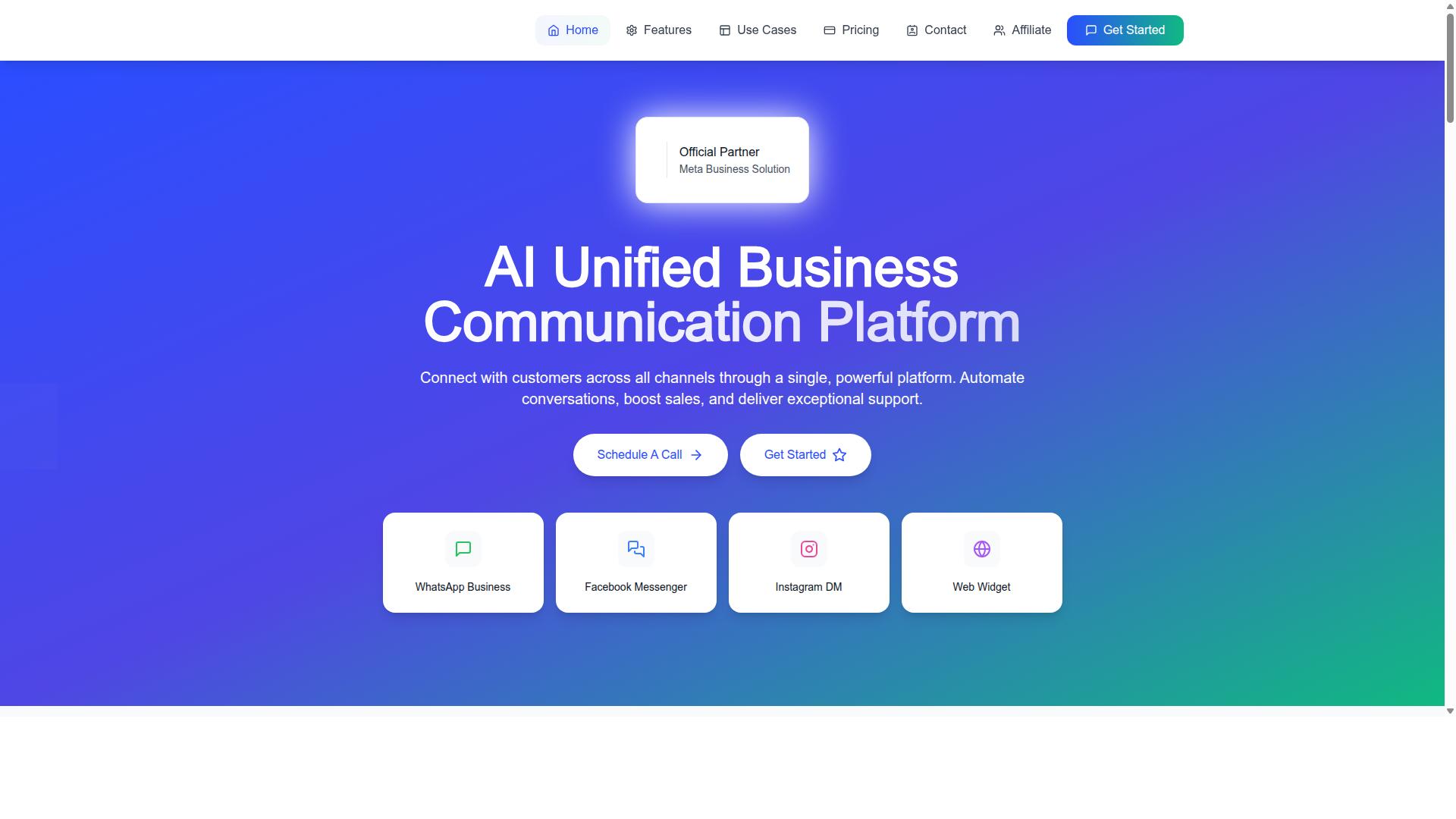
Com.bot supports payment collection through native WhatsApp payments and a unified team inbox. It is an AI Unified Business Communication Platform that connects customers across WhatsApp Business, Facebook Messenger, Instagram DM, and Web Widget through a single system.
For a small business, that matters because payment collection often stalls at the conversation stage. A customer agrees to pay, then drifts while waiting for an invoice, a bank transfer, or a payment link sent through a separate tool. Com.bot keeps the request and the payment in the same thread.
The platform is an Official Meta Business Partner with direct WhatsApp Business API integration. That status matters for businesses that rely on WhatsApp as a primary sales and support channel, since it reflects a direct connection to Meta's messaging infrastructure rather than a workaround.
Com.bot also supports payment collection as a named capability alongside order updates, customer support, notifications, and bulk messaging. The sections below cover native payments and the unified inbox, and what the plans cost for a small team.
Native WhatsApp Payments and Unified Inbox
Com.bot's native WhatsApp payments let customers pay without leaving the chat, while the unified inbox centralizes all conversations.
This removes a common friction point in payment collection. When a customer has to switch to a browser, open a banking app, or complete an ACH transfer or wire transfer manually, the odds of delay rise. Paying in the same thread keeps the transaction close to the conversation that prompted it.
The unified inbox consolidates messages from WhatsApp, Facebook Messenger, Instagram DM, and Web Widget into one place. A team can manage payment requests and customer queries side by side, rather than checking four separate apps for replies.
Com.bot processes 25M+ messages per day, which speaks to the volume the platform handles across its customer base. For a small business, the practical benefit is simpler: payment requests, invoices, and due reminders stay in the same channel where customers already respond.
Plans and Pricing for Small Teams
Com.bot offers tiered pricing starting at $149 per quarter, making it accessible for small teams. Each plan is billed quarterly in USD, and messaging is charged at actual Meta rates with no markup.
| Plan | Price | Positioning |
|---|---|---|
| Silver | $149 per quarter | Entry tier |
| Gold | $349 per quarter | Recommended |
| Platinum V1 | $2500 per quarter | Highest tier |
The Gold plan is recommended for small businesses scaling their payment collection. It sits between the entry Silver tier and the higher Platinum V1 tier, which makes it the natural fit for a team that has outgrown basic messaging but does not need enterprise-scale tooling.
Add-ons cost $10 per month each. These cover an additional team member, an additional social channel, external actions (per 5000), bot triggers (per 25000), or an ecom store. A growing team can add seats or channels one at a time instead of jumping to a higher plan.
For a small team of five, the Gold plan works out to roughly $70 per month. That covers multi-channel support and native payments, so the cost of collecting payments sits inside the same subscription as the conversations that generate them.
Dedicated support is available separately if needed: WABA, CRM, and Inbox support at $49 per hour, and Ecommerce, Bots, and Automations support at $99 per hour. For most small teams, the Gold plan plus occasional add-ons covers the essentials of payment collection without extra support hours.
Recommended Resources: